Weather Radio: Check Reception Along Your Route
Weather radio coverage can change along a route. Check the transmitter, receiver settings and a second source before departure.
A weather radio that receives a clear broadcast at the yard is not proof that it will receive the same information at every stop on a truck route. Before relying on it away from home, connect the receiver check to the places where the driver expects to travel or rest. Treat coverage, settings and an actual reception check as separate pieces of information.
Read the county table with its limitations
The National Weather Service provides county listings containing SAME codes, transmitter frequencies, call signs and coverage remarks. It cautions that listed coverage can include places with unreliable reception because of distance, terrain or signal blockage. A county's appearance in the table therefore does not guarantee a usable broadcast at every address or parking location.
The service also explains that a basic AM/FM receiver cannot receive these broadcasts unless it includes the appropriate weather band. SAME-equipped radios can limit alerts to selected areas; programming help comes from the receiver manufacturer. Identify the actual model and its features before assuming that a weather-band button, an alarm and geographic alert selection all perform the same function.
Start with the planned stops
TSN suggests making a short list of the locations that matter for the next trip: departure point, planned rest location and destination. Include state and county when checking the official listing. A place name by itself can be ambiguous, especially when the same name exists in several states. Keep the location precise enough that another dispatcher can repeat the lookup.
For each location, note the listed transmitter, frequency and any coverage qualification. Record when the lookup was made and keep its source with the trip information. Mark a missing or unclear result as unresolved. Do not turn an empty field into a claim that there are no weather concerns, and do not copy the home county's settings into every route record merely because the radio worked there.
Check the receiver while parked
Use the instructions for the actual receiver to review its selected channel, alert behavior and power arrangements while safely parked. Keep the model reference available to the person doing the check. This article does not provide a universal sequence of buttons: a handheld receiver, a desktop unit and a weather-band feature in another radio may require different instructions.
Write down what was actually observed, such as a clear local broadcast at the parked location, rather than a broad statement that the whole route is covered. If reception is unclear, use the manufacturer's troubleshooting information and the NWS reception resources. Do not troubleshoot controls while driving or assume that silence confirms either a fault or the absence of an alert.
Make the geographic settings visible
A useful handoff identifies the areas selected on a receiver, when that selection was checked and who understands how to review it. For example, a hypothetical truck could leave a home terminal with a radio still configured for its home area. Before a different overnight stop, the driver and dispatcher should know whether that configuration matches the intended use. Do not assume the receiver updates its settings automatically as the truck moves.
Keep the manufacturer's explanation with the device record rather than inventing a fleetwide programming shortcut. If a particular feature is unavailable, document that limitation and choose an information plan that does not depend on it. The objective is to know what the equipment can do, not to make every device appear to have the same functions.
Plan how to get information when reception is uncertain
Choose a second official information route before departure, such as the appropriate NWS forecast and alert pages accessed when safely stopped. Dispatch can record who checks current information and how a relevant update reaches the driver. A saved screenshot is a record of a past check; keep its timestamp visible and obtain current information before making a new decision.
Separate weather information from road status and the company's operating decision. Receiving a broadcast does not establish that a particular road, bridge or parking area is available. Use the responsible road authority for restrictions and follow the applicable operating plan. This guide is a preparation checklist, not a live forecast, a route-clearance notice or a recommendation to continue through deteriorating conditions.
Close the handoff with a specific observation
Before the trip, confirm that someone can identify the receiver, locate its instructions, explain its relevant settings and name the alternate information source. After a planned stop, record reception limitations that dispatch should know about. Avoid treating one successful check as permanent proof. The useful result is a clear handoff about this device, this location and this trip, with unresolved questions still visible.
Explore more practical TSN guides.
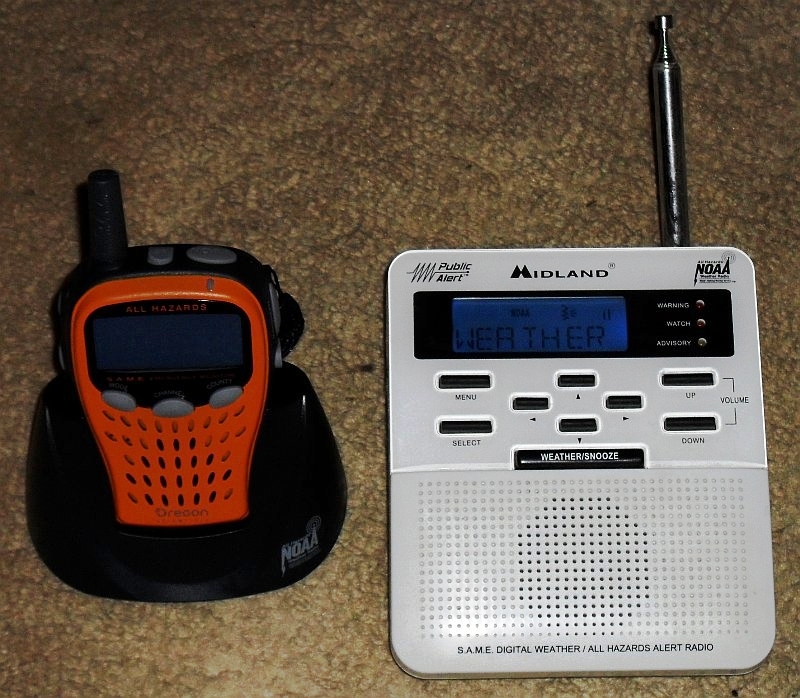
Archive receivers, not a product endorsement or an illustration of current alerts. Mrschimpf; brightness version by F1jmm, CC BY-SA 3.0. Image supplied unchanged.

Original source
NOAA / National Weather Service: county coverage; receiver information. Reviewed October 6, 2026.