Fleet Device Inventory: Name Who Owns Each Account
Start a fleet device review with named owners. Assign account, update and backup checks, then document what was actually verified.
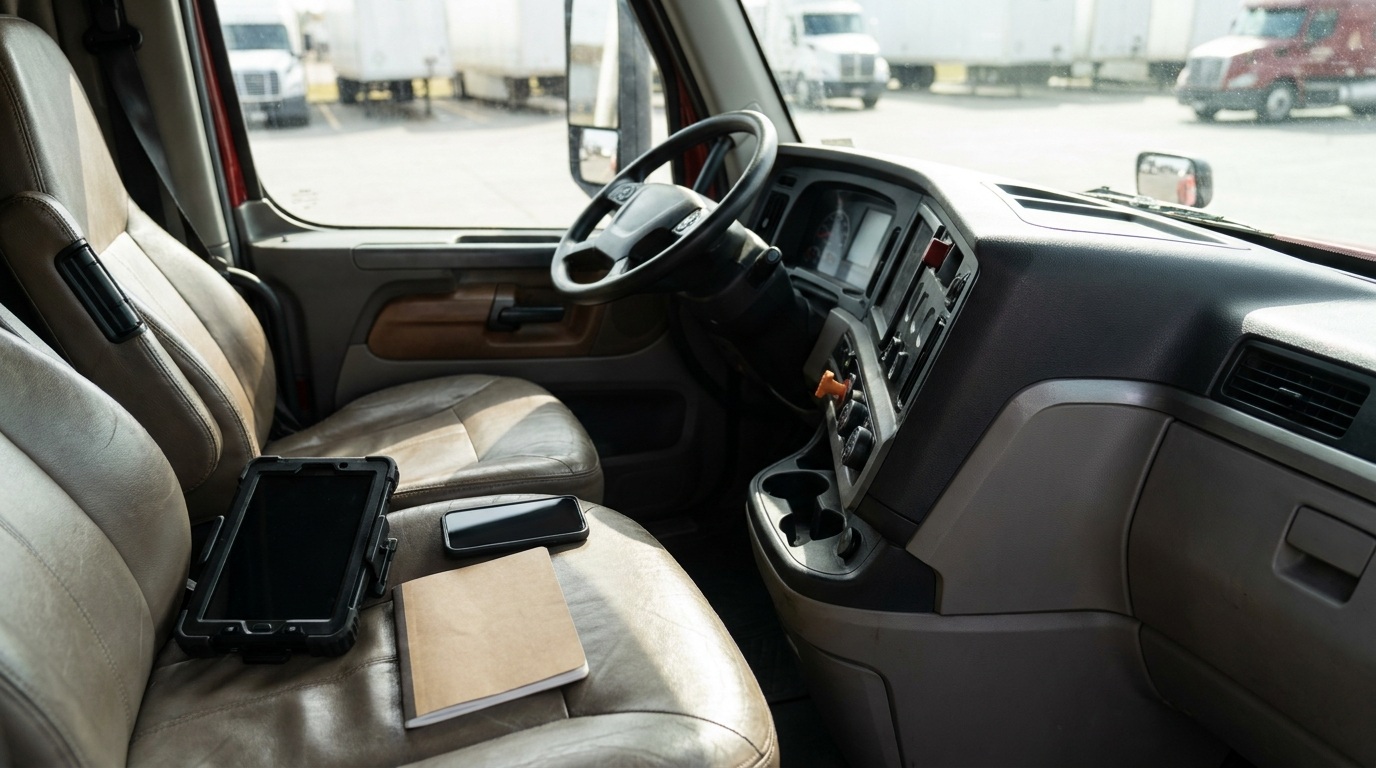
AI-generated editorial illustration; not a documentary photograph.
A fleet’s device review can start with a plain list: which phone, tablet, account and service supports the next load, and who owns each one? NMFTA’s small-business cybersecurity guidance recommends multi-factor authentication where supported, security updates, backups and staff training. Translating those controls into assigned work is an operational task. An owner-operator does not need to invent a new security product to begin documenting the equipment and accounts already in use.
Make the list useful to the next person
Create an inventory that identifies the device, its purpose and its responsible person. Keep the descriptions practical: driver tablet, dispatch computer, business phone or document backup. Add the provider’s verified support route and the date the entry was checked. Store passwords and recovery secrets in an appropriate protected system, rather than in this shared worksheet. The inventory should help someone find the responsible contact without exposing the access that contact is meant to protect.
Begin with one real workflow. For example, trace how a load confirmation reaches dispatch and how the driver receives the information needed for the trip. List the accounts and devices involved. This is an illustrative mapping exercise, not a claim that those systems are compromised. The goal is to discover an unanswered ownership question while the operation is calm, instead of first asking who manages an account when a driver cannot access a document.
Assign the security questions to an owner
Beside each account, record whether multi-factor authentication has been checked, who handles updates and who can confirm the backup arrangement. Use an unresolved status when nobody has verified an answer. A box marked “enabled” should refer to an actual check, not an assumption based on the software’s advertising. Ask the relevant provider or qualified IT contact to clarify supported settings. Avoid experimenting with vehicle-connected equipment or bypassing a control to make the spreadsheet appear complete.
Separate personal and business responsibility in the discussion. A driver may use a phone every day while another person administers the fleet account. Write down those different roles so the user is not treated as the system administrator by default. If the fleet works with an outside provider, confirm what its service covers and what remains the fleet’s responsibility. A support contract title alone is not a complete description of account recovery, updates or retained records.
Review access when people and equipment change
Include the inventory in a vehicle or employee handover. Ask which business access should continue, which should end and who is authorized to make those decisions. Have the responsible administrator carry out any changes through the approved system. Record the completion date without placing credentials in the handover note. The practical benefit is a clear ownership trail; the worksheet itself cannot establish that every account has been reviewed or that a former device is secure.
Consider a small carrier replacing a driver tablet. The useful questions include who prepared the replacement, which business services belong on it and how the old device will be handled under the company’s policy. Keep the assignment and completion evidence together. Do not assume that moving the physical tablet automatically transfers every administrative responsibility. This example is a planning exercise, rather than a step-by-step configuration guide for an ELD or a recommendation to alter regulated equipment.
Give suspicious requests a verified contact route
NMFTA includes phishing awareness in its small-fleet guidance. Turn that into a simple internal conversation: if a message asks someone to change a business account, who independently confirms the request? Keep a known support route in the inventory, separate from contact details supplied by an unexpected message. Staff should have a clear way to pause a questionable request and reach the person responsible for that account. A polished logo or a familiar display name is not the completion evidence for an authorized change.
For a planning meeting, use a fictional request to replace dispatch contact information. Ask the team to identify the account owner and the established way to verify the request. Do not circulate real passwords, customer documents or payment details during the exercise. Record any process question that nobody can answer and assign it to the appropriate administrator. The exercise measures whether the team understands the handoff; it does not test the security of a live account or prove that a message is fraudulent.
Keep a short review sheet
- Identify each business device and account by purpose.
- Name the responsible user and administrator separately.
- Confirm the provider’s support route from a known source.
- Assign checks for authentication, updates and backup arrangements.
- Keep secrets outside shared inventory and handover notes.
- Date completed checks and leave unresolved questions visible.
Start with a manageable portion of the operation and schedule the next review around an actual staffing or equipment change. A completed page for a few identified systems is more useful than an impressive list with no accountable person. Keep the document accessible to the people who need its coordination information while limiting sensitive detail. Review its usefulness by asking whether a replacement dispatcher could find the correct contact without opening a private account or guessing which employee still manages it.
When a route also needs a physical service stop, the Truck Savers News directory can support that separate planning task; confirm capabilities directly with the business. A directory listing is not a cybersecurity assessment. Keep digital support with the verified provider responsible for the system. Prevention here means knowing which service the operation depends on, who can answer for it and what evidence supports the last completed check.
Original source: NMFTA: Cybersecurity for Small Fleets & Trucking Businesses.